Wiki
Searchable user manual for runtime behavior, operational flows, API surfaces, and CLI commands.
WebUI Screenshots
4 views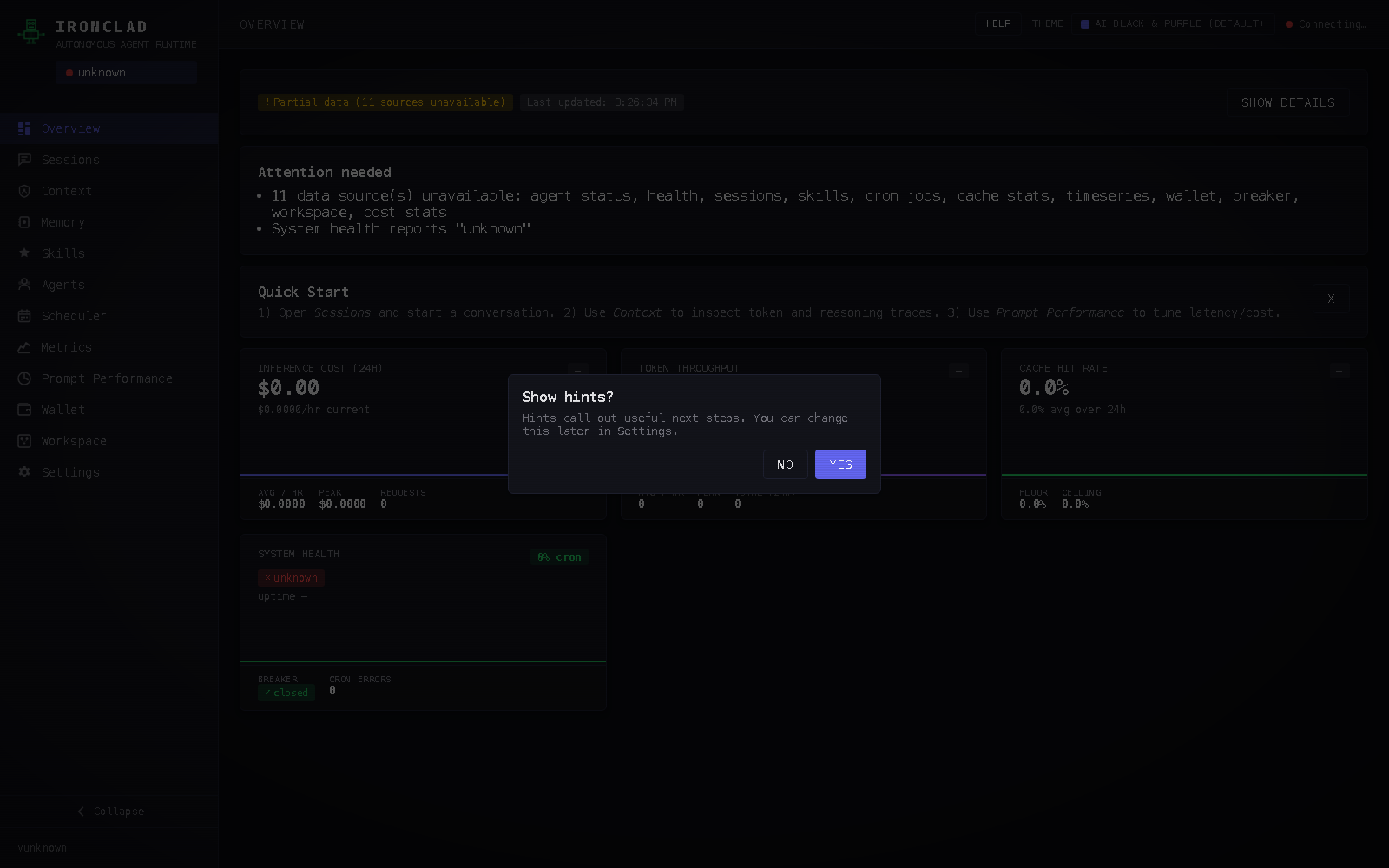
RuntimeRuntime startup lifecycle
At startup Roboticus loads config, initializes storage, discovers skills/plugins, wires API surfaces, and then begins agent + scheduler loops.
Runtime startup lifecycle
At startup Roboticus loads config, initializes storage, discovers skills/plugins, wires API surfaces, and then begins agent + scheduler loops.
Use `roboticus serve` to start the runtime. Health and readiness can be checked via `/api/health`, `roboticus status`, and dashboard runtime cards.
ConfigurationConfiguration apply model
Config mutations are read and applied through runtime APIs with explicit capabilities and apply-status endpoints.
Configuration apply model
Config mutations are read and applied through runtime APIs with explicit capabilities and apply-status endpoints.
MemoryMemory tiers and retrieval
Working memory tracks immediate context, episodic memory tracks event history, and semantic memory stores durable facts with category search.
Memory tiers and retrieval
Working memory tracks immediate context, episodic memory tracks event history, and semantic memory stores durable facts with category search.
Inspect memory through `/api/memory/*` endpoints and `roboticus memory list|search` commands. Full-text search is exposed via `/api/memory/search`.
InferenceModel routing and selection telemetry
Requests are routed across available providers/models with observable selection events and efficiency metrics.
Model routing and selection telemetry
Requests are routed across available providers/models with observable selection events and efficiency metrics.
See `/api/models/available`, `/api/models/selections`, `/api/stats/efficiency`, and turn-level model inspection endpoints under context observability.
SecurityApprovals, policy gates, and audit trails
Potentially risky actions can be gated behind approvals, and policy/tool decisions are exposed through dedicated audit endpoints.
Approvals, policy gates, and audit trails
Potentially risky actions can be gated behind approvals, and policy/tool decisions are exposed through dedicated audit endpoints.
Approval lifecycle: `/api/approvals`, `/approve`, `/deny`. Audit inspection: `/api/audit/policy/:turn_id` and `/api/audit/tools/:turn_id`.
SkillsSkill lifecycle: registry -> install -> activate
Skills can come from built-ins or registry catalogs, then be installed, activated, reloaded, and audited.
Skill lifecycle: registry -> install -> activate
Skills can come from built-ins or registry catalogs, then be installed, activated, reloaded, and audited.
PluginsPlugin lifecycle and execution model
Plugins expose tools through manifests and can be listed, toggled, and invoked through plugin endpoints.
Plugin lifecycle and execution model
Plugins expose tools through manifests and can be listed, toggled, and invoked through plugin endpoints.
AutomationScheduler and recurring jobs
Cron-like jobs can be created, listed, inspected, and removed, with run history captured for observability.
Scheduler and recurring jobs
Cron-like jobs can be created, listed, inspected, and removed, with run history captured for observability.
ChannelsChannel delivery and dead-letter replay
Messaging channels expose status and failed-delivery queues, including replay support for dead letters.
Channel delivery and dead-letter replay
Messaging channels expose status and failed-delivery queues, including replay support for dead letters.
Use `/api/channels/status`, `/api/channels/dead-letter`, and `/api/channels/dead-letter/:id/replay` for monitoring and repair.
OperationsRelease sync and hosted registry behavior
Site release sync mirrors registry packs from roboticus releases and validates checksums for skills, plugins, and product-knowledge artifacts before deploy.
Release sync and hosted registry behavior
Site release sync mirrors registry packs from roboticus releases and validates checksums for skills, plugins, and product-knowledge artifacts before deploy.
Registry content is hosted in `public/registry/*` and validated by integrity checks. Product knowledge is published as a source-backed tarball so installed agents can answer Roboticus setup and operation questions from current project evidence. Plugin catalog entries require archive presence and SHA-256 match.
DashboardDashboard and live observability surfaces
The dashboard aggregates runtime health, sessions, costs, model routing, channels, skills, and operational controls.
Dashboard and live observability surfaces
The dashboard aggregates runtime health, sessions, costs, model routing, channels, skills, and operational controls.
For live stream integrations use WebSocket (`/ws`) and streaming endpoints where applicable.
WebUIWebUI tour and navigation model
The dashboard organizes operations into page-like panes (Overview, Sessions, Memory, Skills, Agents, Scheduler, Metrics, Wallet, Workspace, Settings) with live state indicators.
WebUI tour and navigation model
The dashboard organizes operations into page-like panes (Overview, Sessions, Memory, Skills, Agents, Scheduler, Metrics, Wallet, Workspace, Settings) with live state indicators.
Navigation is hash-driven (`#overview`, `#sessions`, `#skills`, `#settings`) and updates in place without leaving the dashboard. Use the header Help button to open the wiki manual.
APIGET /api/health
Health check
GET /api/health
Health check
Route group: Health. This endpoint is part of the documented API reference and is available through the runtime HTTP surface.
APIGET /.well-known/agent.json
A2A agent discovery card
GET /.well-known/agent.json
A2A agent discovery card
Route group: Discovery. This endpoint is part of the documented API reference and is available through the runtime HTTP surface.
APIPOST /api/agent/message
Send a message (standard inference)
POST /api/agent/message
Send a message (standard inference)
Route group: Agent. This endpoint is part of the documented API reference and is available through the runtime HTTP surface.
APIPOST /api/agent/message/stream
Send a message (SSE streaming)
POST /api/agent/message/stream
Send a message (SSE streaming)
Route group: Agent. This endpoint is part of the documented API reference and is available through the runtime HTTP surface.
APIGET /api/agent/status
Agent and provider diagnostics
GET /api/agent/status
Agent and provider diagnostics
Route group: Agent. This endpoint is part of the documented API reference and is available through the runtime HTTP surface.
APIGET /api/sessions
List sessions
GET /api/sessions
List sessions
Route group: Sessions. This endpoint is part of the documented API reference and is available through the runtime HTTP surface.
APIPOST /api/sessions
Create session
POST /api/sessions
Create session
Route group: Sessions. This endpoint is part of the documented API reference and is available through the runtime HTTP surface.
APIGET /api/sessions/{id}
Get session details
GET /api/sessions/{id}
Get session details
Route group: Sessions. This endpoint is part of the documented API reference and is available through the runtime HTTP surface.
APIDELETE /api/sessions/{id}
Delete session
DELETE /api/sessions/{id}
Delete session
Route group: Sessions. This endpoint is part of the documented API reference and is available through the runtime HTTP surface.
APIGET /api/sessions/{id}/messages
List session messages
GET /api/sessions/{id}/messages
List session messages
Route group: Sessions. This endpoint is part of the documented API reference and is available through the runtime HTTP surface.
APIGET /api/memory/working
Working memory entries
GET /api/memory/working
Working memory entries
Route group: Memory. This endpoint is part of the documented API reference and is available through the runtime HTTP surface.
APIGET /api/memory/episodic
Episodic memory entries
GET /api/memory/episodic
Episodic memory entries
Route group: Memory. This endpoint is part of the documented API reference and is available through the runtime HTTP surface.
APIGET /api/memory/semantic
Semantic knowledge store
GET /api/memory/semantic
Semantic knowledge store
Route group: Memory. This endpoint is part of the documented API reference and is available through the runtime HTTP surface.
APIGET /api/memory/search
Cross-tier hybrid memory search
GET /api/memory/search
Cross-tier hybrid memory search
Route group: Memory. This endpoint is part of the documented API reference and is available through the runtime HTTP surface.
APIGET /api/cron/jobs
List cron jobs
GET /api/cron/jobs
List cron jobs
Route group: Scheduler. This endpoint is part of the documented API reference and is available through the runtime HTTP surface.
APIPOST /api/cron/jobs
Create cron job
POST /api/cron/jobs
Create cron job
Route group: Scheduler. This endpoint is part of the documented API reference and is available through the runtime HTTP surface.
APIGET /api/skills
List loaded skills
GET /api/skills
List loaded skills
Route group: Skills. This endpoint is part of the documented API reference and is available through the runtime HTTP surface.
APIGET /api/stats/costs
Inference cost tracking
GET /api/stats/costs
Inference cost tracking
Route group: Statistics. This endpoint is part of the documented API reference and is available through the runtime HTTP surface.
APIGET /api/stats/efficiency
Model efficiency metrics
GET /api/stats/efficiency
Model efficiency metrics
Route group: Statistics. This endpoint is part of the documented API reference and is available through the runtime HTTP surface.
APIGET /api/config
Current configuration
GET /api/config
Current configuration
Route group: Config. This endpoint is part of the documented API reference and is available through the runtime HTTP surface.
APIGET /api/wallet/balance
Wallet balance
GET /api/wallet/balance
Wallet balance
Route group: Wallet. This endpoint is part of the documented API reference and is available through the runtime HTTP surface.
APIGET /api/approvals
List approval requests
GET /api/approvals
List approval requests
Route group: Approvals. This endpoint is part of the documented API reference and is available through the runtime HTTP surface.
APIPOST /api/approvals/{id}/approve
Approve a pending request
POST /api/approvals/{id}/approve
Approve a pending request
Route group: Approvals. This endpoint is part of the documented API reference and is available through the runtime HTTP surface.
APIPOST /api/approvals/{id}/deny
Deny a pending request
POST /api/approvals/{id}/deny
Deny a pending request
Route group: Approvals. This endpoint is part of the documented API reference and is available through the runtime HTTP surface.
APIPOST /api/interview/start
Start personality interview
POST /api/interview/start
Start personality interview
Route group: Interview. This endpoint is part of the documented API reference and is available through the runtime HTTP surface.
APIPOST /api/interview/turn
Submit interview Q&A turn
POST /api/interview/turn
Submit interview Q&A turn
Route group: Interview. This endpoint is part of the documented API reference and is available through the runtime HTTP surface.
APIPOST /api/interview/finish
Finish interview and generate config
POST /api/interview/finish
Finish interview and generate config
Route group: Interview. This endpoint is part of the documented API reference and is available through the runtime HTTP surface.
APIGET /api/subagents
List sub-agents
GET /api/subagents
List sub-agents
Route group: Sub-Agents. This endpoint is part of the documented API reference and is available through the runtime HTTP surface.
APIGET /api/breaker/status
Circuit breaker status
GET /api/breaker/status
Circuit breaker status
Route group: Circuit Breaker. This endpoint is part of the documented API reference and is available through the runtime HTTP surface.
APIGET /ws
WebSocket event stream
GET /ws
WebSocket event stream
Route group: WebSocket. This endpoint is part of the documented API reference and is available through the runtime HTTP surface.
CLIroboticus admin
Administrative operations
roboticus admin
Administrative operations
CLIroboticus agents
Manage agents
roboticus agents
Manage agents
CLIroboticus auth
Manage provider authentication
roboticus auth
Manage provider authentication
CLIroboticus channels
Manage channel adapters and dead-letter queue
roboticus channels
Manage channel adapters and dead-letter queue
CLIroboticus check
Validate config, database, and provider connectivity
roboticus check
Validate config, database, and provider connectivity
CLIroboticus circuit
Manage circuit breaker state for LLM providers
roboticus circuit
Manage circuit breaker state for LLM providers
CLIroboticus completion
Generate shell completions
roboticus completion
Generate shell completions
CLIroboticus config
View and manage configuration
roboticus config
View and manage configuration
Usage: `roboticus config`. Examples: - `roboticus config show` - `roboticus config get models.default` - `roboticus config set models.default openai/gpt-4.1-mini`
CLIroboticus cron
Manage cron jobs
roboticus cron
Manage cron jobs
CLIroboticus daemon
Manage the roboticus daemon (alias for service)
roboticus daemon
Manage the roboticus daemon (alias for service)
CLIroboticus defrag
Database optimization or code quality scanning
roboticus defrag
Database optimization or code quality scanning
CLIroboticus help
Help about any command
roboticus help
Help about any command
CLIroboticus ingest
Ingest documents into the knowledge system
roboticus ingest
Ingest documents into the knowledge system
CLIroboticus init
Initialize a new roboticus workspace
roboticus init
Initialize a new roboticus workspace
CLIroboticus keystore
Manage the encrypted keystore
roboticus keystore
Manage the encrypted keystore
CLIroboticus logs
Stream or fetch recent log entries
roboticus logs
Stream or fetch recent log entries
Usage: `roboticus logs`. Examples: - `roboticus logs --follow` - `roboticus logs --level warn`
CLIroboticus mcp
Manage MCP (Model Context Protocol) servers
roboticus mcp
Manage MCP (Model Context Protocol) servers
CLIroboticus mechanic
Database diagnostics and repair
roboticus mechanic
Database diagnostics and repair
Usage: `roboticus mechanic`. Examples: - `roboticus mechanic` - `roboticus mechanic --repair`
CLIroboticus memory
Query and manage memory tiers
roboticus memory
Query and manage memory tiers
CLIroboticus metrics
View cost, cache, and capacity metrics
roboticus metrics
View cost, cache, and capacity metrics
Usage: `roboticus metrics`. Examples: - `roboticus metrics costs` - `roboticus metrics cache`
CLIroboticus migrate
Run migrations and data import/export
roboticus migrate
Run migrations and data import/export
CLIroboticus models
Query available models and routing diagnostics
roboticus models
Query available models and routing diagnostics
CLIroboticus plugins
Manage plugins (alias: apps)
roboticus plugins
Manage plugins (alias: apps)
Usage: `roboticus plugins`. Examples: - `roboticus plugins search claude` - `roboticus plugins install claude-code` - `roboticus plugins enable claude-code`
CLIroboticus profile
Manage agent configuration profiles
roboticus profile
Manage agent configuration profiles
CLIroboticus reset
Reset all data (preserves schema)
roboticus reset
Reset all data (preserves schema)
CLIroboticus schedule
Manage scheduled jobs (alias for cron)
roboticus schedule
Manage scheduled jobs (alias for cron)
Usage: `roboticus schedule`. Examples: - `roboticus schedule`
CLIroboticus security
Security configuration and auditing
roboticus security
Security configuration and auditing
CLIroboticus serve
Start the roboticus agent runtime
roboticus serve
Start the roboticus agent runtime
Usage: `roboticus serve`. Examples: - `roboticus serve` - `roboticus serve --host 127.0.0.1 --port 8788`
CLIroboticus service
Manage the roboticus system service
roboticus service
Manage the roboticus system service
CLIroboticus sessions
Manage agent sessions
roboticus sessions
Manage agent sessions
Usage: `roboticus sessions`. Examples: - `roboticus sessions list` - `roboticus sessions show <session-id>` - `roboticus sessions export <session-id> --format markdown`
CLIroboticus setup
Interactive onboarding wizard
roboticus setup
Interactive onboarding wizard
CLIroboticus skills
Manage agent skills
roboticus skills
Manage agent skills
Usage: `roboticus skills`. Examples: - `roboticus skills list` - `roboticus skills catalog-list --query security` - `roboticus skills catalog-install <skill-name> --activate`
CLIroboticus status
Display agent health and status
roboticus status
Display agent health and status
CLIroboticus tui
Launch interactive terminal interface
roboticus tui
Launch interactive terminal interface
CLIroboticus uninstall
Uninstall the roboticus service and optionally remove data
roboticus uninstall
Uninstall the roboticus service and optionally remove data
CLIroboticus update
Check for updates or update the binary
roboticus update
Check for updates or update the binary
Usage: `roboticus update`. Examples: - `roboticus update --channel stable` - `roboticus update --channel beta`
CLIroboticus upgrade
Upgrade the roboticus runtime
roboticus upgrade
Upgrade the roboticus runtime
CLIroboticus version
Print version information
roboticus version
Print version information
CLIroboticus wallet
Wallet balance and address management
roboticus wallet
Wallet balance and address management
Usage: `roboticus wallet`. Examples: - `roboticus wallet balance` - `roboticus wallet address`
CLIroboticus web
Open the dashboard in your default browser
roboticus web
Open the dashboard in your default browser